

 myCSUSM








CONGRATULATIONS FALL 2026 GRADUATES!
We are excited to celebrate the accomplishments of the fall 2026 graduating class!
This is your one-stop resource for everything you need to prepare for commencement. Learn about commencement registration, guest tickets, regalia, StagePass, ceremony day expectations, important deadlines and other resources to help you prepare for a memorable commencement experience.
Due to the limited capacity of Frontwave Arena, graduates planning to participate in fall 2026 commencement must complete commencement registration by Nov. 13, 2026, at 11:59 p.m. Participation is available on a first-come, first-served basis and is subject to venue capacity and availability.

Commencement Registration
Participation in commencement requires commencement registration through Tassel, the university's third-party commencement management platform. Commencement registration allows you to confirm your participation, record the pronunciation of your name, claim your guest tickets, access your Stage Pass, and ensure that we have a seat for you and your guests.
Please note: Applying to graduate and registering for commencement are two separate processes. Submitting your Application to Graduate does not automatically register you to participate in commencement. All graduates planning to participate in the fall 2026 commencement ceremonies must complete commencement registration by 11:59 p.m. Nov. 13. No walk-ins on the day of the event will be permitted.
Applying & Registering
- Applying to Graduate (to receive your diploma): Completed through MyCSUSM. Graduation applications and diplomas are managed through the Office of the Registrar.
- Registering for commencement (RSVP to walk at the ceremony): Completed through Tassel. Commencement is managed by the Commencement Office.
Eligibility to register
To receive a commencement registration invitation, you must have applied to graduate for fall 2026 by the Nov. 1, 2026, graduation application deadline.
Students who apply to graduate after Nov. 1, 2026, are not automatically added to the commencement registration list. All graduates who wish to participate must complete the commencement registration process by the Nov. 13 deadline. The Commencement Office reviews updated graduation applicant reports each Friday to identify newly eligible graduates.
If you submit your Application to Graduate after the Nov. 1 deadline, you must contact the Commencement Office to ensure you are added to the commencement participant list and receive your registration invitation.
It is recommended that you meet with your academic advisor to ensure you are on track to complete your degree requirements by the end of the fall 2026 semester.
Students are invited to participate in the commencement ceremony associated with their graduation term.
- Fall graduates are invited to participate in the December commencement ceremonies.
- Spring and summer graduates are invited to participate in the May commencement ceremonies.
Eligible students who have applied to graduate for the appropriate term will receive a commencement registration invitation from the Commencement Office when registration opens. The invitation will include instructions for registering to participate in the commencement ceremony associated with your graduation term.
Students completing multiple majors will participate in one commencement ceremony, which is determined by their primary major as reflected in university records. All earned majors will be recognized on your official academic record and in the digital program.
If you wish to participate in a commencement ceremony outside of your assigned graduation term, please contact the Commencement Office to discuss your eligibility and available options. Participation in an alternate ceremony is not guaranteed and is subject to eligibility requirements, venue capacity and approval by the Commencement Office.
When will I receive my registration email?
Commencement registration invitations will be sent beginning in early October to eligible fall graduates.
Registration emails are not sent before early October, even if you have already applied to graduate.
Please monitor your CSUSM email account, as all official commencement communications, including your commencement registration invitation, will be sent to your university email address.
Before you register for commencement
✔ Meet with Academic Advising to review your degree requirements and confirm you are on track to graduate in fall 2026.
✔ Apply to Graduate through your Student Center by Nov. 1, 2026. Applying to graduate does not register you for commencement.
✔ Monitor your CSUSM email account for important communications from the Commencement Office, including your Commencement Registration invitation from Tassel.
✔ Review the ceremony schedule (available Oct. 1, 2026) to confirm your assigned ceremony before registering.
✔ Register for commencement through Tassel by Nov. 13, 2026, at 11:59 p.m. The registration link will be sent to your CSUSM email account. Login is different from other CSUSM logins.
How do I register?
Eligible graduates will receive an email from the Commencement Office containing a unique commencement registration link.
This link is unique to you and should not be shared with anyone else.
Commencement registration is completed through Tassel, CSUSM's third-party commencement management platform.
During commencement registration, you will:
- Confirm your participation in commencement.
- Verify your personal information.
- Record the pronunciation of your name for the commencement ceremony.
- Receive access to your digital ticket (Stage Pass) after registration is complete.
A detailed Commencement Registration Guide with step-by-step instructions is available below.
Commencement Registration Guide PDF
Commencement Registration Video Guide
I didn't receive my registration email
If you do not receive your commencement registration email after registration invitations have been distributed:
- Verify that you have applied to graduate for fall 2026.
- Check your CSUSM email inbox.
- Check your junk, spam, clutter and other folders.
- Search your inbox for emails from Tassel or the Commencement Office.
- Search for the subject line: “Complete Your Commencement Registration (RSVP) by Nov. 13.”
- If you still cannot locate your registration email, contact the Commencement Office via email as soon as possible.
The Commencement Office reviews updated graduation applicant reports each Friday to identify newly eligible graduates. Do not wait until the registration deadline (Nov. 13) to report missing registration emails.
Need to make changes?
After submitting your commencement registration, you are responsible for reviewing your information for accuracy. Corrections requested after the registration deadline may not be accommodated.
Registration deadline
All commencement registration forms, corrections and participation requests must be submitted by:
11:59 p.m., Nov. 13, 2026
Because participation is limited by venue capacity, graduates are encouraged to register as early as possible after receiving their registration link. No walk-ins on the day of the event will be permitted.
Important Reminders
- Applying to graduate does not register you for commencement.
- Commencement registration links are sent only to eligible graduates who have applied to graduate by Nov. 1.
- Registration invitations are sent to your CSUSM email account in early October.
- Complete your Commencement Registration through Tassel and inform the Commencement Office about any revisions before Nov. 13, 11:59 p.m.
- Contact the Commencement Office immediately (before Nov. 13) if you do not receive your registration link or experience any registration issues.
- No walk-ins on the day of the event will be permitted.
- You must register for commencement to receive guest tickets.
The Commencement Office is the official source for all commencement information.
The Commencement Office can answer questions related to:
- Ceremony participation
- Commencement day
- Commencement registration
- Event logistics
- GradFest
- Guest tickets
- Stage Pass
- Tassel
Because the Commencement Office manages the commencement registration system and other commencement platforms, our staff has access to the most current information and can provide the most accurate guidance based on your individual situation. If you have questions or need assistance, please contact the Commencement Office directly so we can best assist you.
StagePass
After you successfully complete commencement registration through Tassel, you will have immediate access to your StagePass.
Your StagePass serves as your digital graduate ticket for commencement and is required to enter the graduate check-in area on commencement day. Upon check-in, commencement staff will verify your digital StagePass and provide you with a printed StagePass.
Your printed StagePass will be used throughout the ceremony to:
- Announce your name as you cross the stage.
- Display your name and information on the arena video screens.
- Verify your participation in the ceremony.
At graduate check-in, carefully review your StagePass to ensure your name, degree information and other details are accurate. If you need to request corrections, visit the help desk at graduate check-in.
Please note: Once graduates have checked in and lined up for the processional on commencement day, no changes can be made to your StagePass or the information that will be announced and displayed during the ceremony.
Guest tickets are issued separately and are not available immediately after registration.
Guest Ticket Timeline
- Register for commencement by Nov. 13 (Tassel)
- Claim up to 8 guest tickets during registration (Tassel)
- Commencement registration closes on Nov. 13
- Commencement Office & Frontwave Arena prepare digital tickets after Nov. 13
- Receive email regarding guest tickets have been delivered to your AXS app (by Nov. 26)
- Transfer commencement tickets to guests via AXS app
- Confirm with your guests that they are able to log into AXS app and see their commencement guest ticket(s)
- Guests present digital tickets when entering Frontwave Arena (AXS)

Guest Tickets
Commencement is a ticketed event. All guests ages 3 and older are required to have a valid digital guest ticket to enter Frontwave Arena.
Guest tickets are available only to graduates who have successfully completed commencement registration (RSVP) by 11:59 p.m. on Nov. 13.
How do I receive my guest tickets?
As part of the commencement registration process in Tassel, eligible graduates will be asked how many guest tickets they would like to claim.
Graduates may claim up to eight (8) guest tickets during commencement registration. Guest tickets are not issued immediately after you register.
Following the commencement registration deadline, the Commencement Office will review all registration submissions and work with Frontwave Arena to upload guest ticket information into the arena's ticketing system. Once this process is complete, eligible graduates will receive an email notifying them that their guest tickets have been delivered to their AXS account.
Important Notes Regarding Guest Tickets
- You will not see guest tickets in the AXS app until you receive an email confirming it was sent to the graduate.
- CSUSM Commencement will not appear as a searchable public event within the AXS app.
- Your tickets will only appear after they have been assigned to your CSUSM email address by the Commencement Office and Frontwave Arena.
- You must register for commencement in order to receive guest tickets for commencement.
- Guest tickets are managed through the AXS app.
- Printed tickets, screenshots, PDFs or photos of tickets will not be accepted for entry.
Accessing your guest tickets (AXS mobile app)
Guest tickets will be delivered through the AXS mobile app, the official ticketing platform used by Frontwave Arena. Graduates will have until 11:59 p.m. Nov. 20 to note how many guest tickets they would like to claim in their Tassel account. You will receive an email notification once your guest tickets have been delivered to your AXS account. Tickets will not appear in the app until after the Commencement Office has completed registration verification and Frontwave Arena has uploaded the tickets. We anticipate guest tickets will be distributed by Thanksgiving break.
For security purposes, each guest ticket contains a unique, dynamic QR code that refreshes periodically within the AXS app. This technology helps prevent duplicate, copied or fraudulent tickets and ensures each ticket can only be used by the intended guest. Printed tickets, screenshots, PDFs or photos of tickets will NOT be accepted for entry.
The Commencement Office will associate your guest tickets with your CSUSM email address, the same email address used for your commencement registration. If you already have an AXS account using a personal or different email address, your CSUSM Commencement tickets will not appear in that account.
To access your guest tickets, you must:
- Download the AXS mobile app from the Apple App Store or Google Play.
- Sign in using your CSUSM email address.
- If you are currently logged into an AXS account with a different email address, log out and either:
- Sign in with your AXS account using your CSUSM email address, or
- Create a new AXS account using your CSUSM email address.
Your guest tickets will only appear when you are logged into the AXS app using your CSUSM email account.
On commencement day, tickets must be presented directly from the AXS mobile app for entry into Frontwave Arena.
You have two options for entering the venue:
- One person may keep all guest tickets on their AXS app and present each ticket for the entire group as guests enter together, or
- graduates may transfer individual tickets through the AXS app so that each guest can access and present their own ticket upon arrival.
Each ticket has a unique QR code and may only be scanned once.
Step-by-step instructions for accessing and managing your tickets are available on the AXS Ticketing support page or the AXS Ticketing FAQ page.
Guest ticket distribution
Once guest tickets have been added to your AXS account, you are responsible for distributing your tickets to your guests.
Graduates may:
- Transfer tickets directly to guests through the AXS app.
- Transfer unused tickets to another registered graduate.
Each guest must present their own ticket through the AXS mobile app when entering Frontwave Arena.
Screenshots, printed tickets and PDF copies will NOT be accepted.
Ticket deadlines
Only graduates who complete commencement registration by the Nov. 13 deadline will be eligible to participate in commencement and receive guest tickets.
Guest ticket claim deadline: 11:59 p.m. on Nov. 20.
Graduates must claim their guest tickets in their Tassel account by this deadline.
Guest Ticket Reminders
- All guests ages 3 and older must have their own ticket.
- Children age 2 and under may attend without a ticket if seated on a parent's or guardian's lap.
- Guest tickets are available only to graduates who complete commencement registration.
- Guest tickets are digital and accessed through the AXS mobile app.
- Screenshots, printed tickets and PDF copies will NOT be accepted.
- Guests must present their digital ticket through the AXS app at the entrance on commencement day.
Additional guest tickets
If guest tickets remain available after the Nov. 20 deadline, the Commencement Office will notify all registered graduates with instructions for requesting or claiming additional tickets.
Additional tickets are not guaranteed and will only be made available if there are enough remaining tickets to distribute fairly among all registered graduates.
If additional tickets are not available, no additional communication will be sent regarding ticket redistribution.
Livestream
There is no alternate viewing location at Frontwave Arena.
Each commencement ceremony will be livestreamed for family and friends who are unable to attend in person. Livestream links will be posted on the commencement website the day of commencement.
Cap and Gown
Regalia is the official attire worn during commencement and symbolizes your academic achievement. Graduates participating in the commencement ceremony must wear a black gown appropriate to the graduate’s degree level, black mortar board cap, and blue and white tassel.
Purchase your official CSUSM regalia
Official CSUSM commencement regalia may be purchased through the CSUSM University Store, either in person or online.
Purchase Online
University Store Information & Hours
What regalia do I need?
Each degree level has its own official regalia. Bachelor's, master's and doctoral gowns differ in design, sleeve style and overall appearance.
Graduates should wear the regalia that corresponds with the degree they are earning.
Bachelor's Degree
- Bachelor's gown
- Mortarboard (cap)
- Blue and white tassel
Master's degree
- Master's gown
- Master's hood (color dependent on major)
- Mortarboard (or approved master's cap)
- Black tassel
Doctoral degree
- Doctoral gown
- Doctoral hood
- Doctoral tam (cap)
- Tassel
How to wear your regalia
Properly wearing your regalia helps maintain the tradition and decorum of the commencement ceremony.
Regalia Tips
- Review the return policy on regalia before purchasing.
- Try on your regalia before purchasing to ensure proper fit.
- Take your regalia out of the packaging to help reduce the number of wrinkles.
- Steam or lightly press your gown before the ceremony to remove wrinkles (follow the manufacturer's care instructions).
Bachelor's regalia
- Wear your gown fully zipped.
- Place your stole(s) around your neck, followed by any honor cords.
- Attach your tassel to the button on top of your mortarboard.
- Position the pointed edge of the cap toward the front.
- Before your degree is conferred, wear your tassel on the right side.
- During the ceremony, you will be instructed to move your tassel to the left.
Master's regalia
The hood should be secured inside your gown using the attached loop and button, with the velvet trim facing outward. Master's graduates traditionally wear their tassel on the left side throughout the ceremony.
Doctoral regalia
The doctoral hood should be secured to your gown before the ceremony. Doctoral graduates
traditionally wear their tassel on the left side.
Doctoral Regalia Tutorial

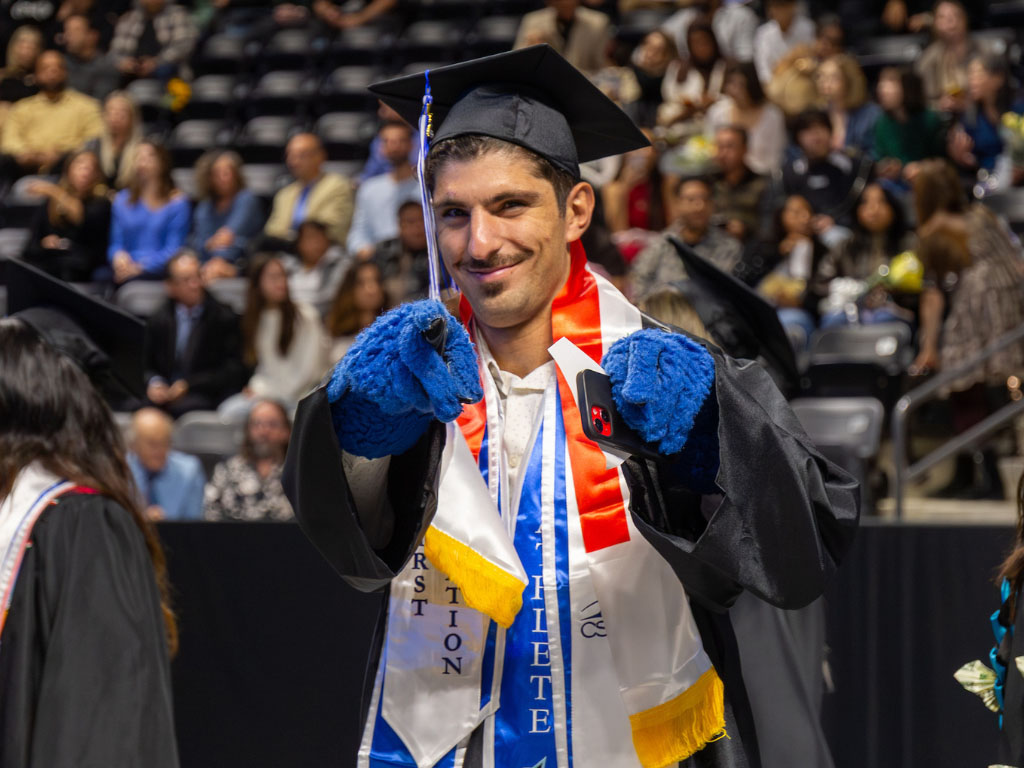
Honor Cords & Stoles
Students may wear approved honor cords and stoles that have been awarded by California State University San Marcos colleges, departments, recognized student organizations, academic honor societies or approved university-affiliated programs.
Questions regarding eligibility for organization- or department-issued honor cords or stoles should be directed to the issuing department or organization.
Custom stoles may also be worn provided they:
- Are respectful and appropriate for the commencement ceremony.
- Do not contain profanity, discriminatory language or offensive imagery.
- Comply with the CSUSM Student Code of Conduct.
The Commencement Office does not coordinate, distribute or maintain a list of departmental or student organization stoles.
If you are interested in obtaining a stole representing your college, department, program or student organization, please contact the issuing department or organization directly or inquire with the University Store.
University Store stoles available
(List Coming Soon)
Decorating your cap
Graduates are welcome to personalize their mortarboard (cap) as a way to celebrate their achievement.
Cap decorations are permitted provided they:
- Are securely attached.
- Do not obstruct the view of other graduates or guests.
- Do not contain profanity, discriminatory language, offensive imagery or other content inconsistent with the CSUSM Student Code of Conduct.
To preserve the dignity and tradition of commencement, graduates are asked not to alter or decorate their gown.
Commencement staff reserve the right to request that graduates remove or replace cap decorations that do not comply with these guidelines before participating in the ceremony.
For additional information, please review the CSUSM Student Code of Conduct.

Ceremony Information
We look forward to celebrating the accomplishments of the fall 2026 graduating class at commencement on Dec. 20, 2026, at Frontwave Arena in Oceanside.
Due to venue capacity and the number of graduates participating, commencement is divided into two ceremonies. Graduates are assigned to a ceremony according to their college affiliation.
Graduates are encouraged to complete commencement registration as soon as they receive their registration invitation, as participation is subject to venue capacity and availability.
All guests ages 3 and older are required to have a valid digital ticket to enter Frontwave Arena.
Fall 2026 commencement ceremony schedule
1 p.m. ceremony
College of Humanities, Arts, Behavioral and Social Sciences (CHABSS)
College of Science, Technology, Engineering and Mathematics (CSTEM)
Estimated ceremony length: 1 hour, 55 minutes
6 p.m. ceremony
College of Education, Health and Human Services (CEHHS)
College of Business Administration (COBA)
Estimated ceremony length: 1 hour, 30 minutes
Find your ceremony
Not sure which ceremony you are attending? A Graduate Lookup Tool will be posted the
week of commencement so you can confirm your ceremony assignment.
Graduate Lookup Tool
Livestream & digital programs
Friends and family who are unable to attend in person may watch the ceremony live online.
The livestream webpage will also provide access to each ceremony's digital program. A link to the livestream and digital program will be posted the week of commencement.

Commencement Vocalist and Speaker
Each commencement ceremony features a student speaker and student vocalist selected through an application process. Eligible graduates are encouraged to apply if they are interested in serving as a student speaker or student vocalist during the commencement ceremony. Student vocalists will perform “America the Beautiful.”
Application deadline: 11:59 p.m. on Nov. 2, 2026
Student Speaker & Vocalist Application
What makes a strong application?
Student speakers:
- Speak from personal experience.
- Celebrate the graduating class.
- Be authentic and engaging.
- Keep your speech within 2-3 minutes.
- Should be relatable to all graduates.
Student vocalists:
- Choose a comfortable key.
- Demonstrate vocal confidence.
- Ensure your recording is clear and free from background noise.
Eligibility
Applicants must:
- Be eligible to participate in the fall 2026 commencement ceremonies.
- Complete and submit the online application by the published deadline.
- Submit all required materials with their application.
- Be available to attend required audition (if selected), rehearsal, recordings and the assigned commencement ceremony.
Incomplete or late applications will not be considered.
Application requirements
Student speaker
Applicants must upload a video of themselves delivering their proposed commencement speech.
Requirements:
- Speech length: 2-3 minutes when read aloud.
- Video should clearly show and capture the applicant speaking.
- Speeches should reflect the values and spirit of the university.
Student vocalist
Applicants must upload a video of themselves performing "America the Beautiful."
Requirements:
- Perform two verses (of your choice) and the chorus.
- Performance must be a cappella (without instrumental accompaniment or a soundtrack).
Pre-recorded performance
As part of commencement preparation, selected student speakers and student vocalists will be required to participate in a professional recording session coordinated by the Commencement Office and the Media Production Services (MPS) team.
During this session:
- Student speakers will record their approved commencement speech.
- Student vocalists will record their performance of “America the Beautiful.”
Recording appointments will be scheduled by the Commencement Office in coordination with Media Production Services (MPS).
These recordings serve as a contingency plan in the event a selected participant is unexpectedly unable to perform during the commencement ceremony due to illness, emergency or other unforeseen circumstances.
The recordings will be securely maintained by the Commencement Office and will only be used if they are needed for the assigned commencement ceremony. They will not be publicly shared, distributed or played unless circumstances require their use.
Selection process
Following the application deadline, the selection committee will review all submissions.
Applicants selected to advance to the next stage of the process will receive an email at the address provided on their application.
Selected finalists will be invited to schedule an in-person audition using an online appointment scheduler. The invitation email will include:
- Available audition dates and times.
- Instructions for scheduling an audition.
- The deadline to select an audition appointment.
Applicants are responsible for selecting an audition time by the published deadline.
Following the auditions, all applicants will be notified by email regarding their selection status.
Participation expectations
Applicants selected as a student speaker or student vocalist are expected to conduct themselves professionally throughout the selection process and at commencement.
If selected, participants agree to:
- Attend all required meetings, rehearsals, auditions and ceremony-related activities.
- Be available to participate in the assigned commencement ceremony.
- Respond promptly to communications from the Commencement Office.
Student speaker
Student speakers will work collaboratively with University Communications to finalize their commencement speech. Edits may be required to improve grammar, clarity, tone, university messaging and to ensure the speech fits within the allotted time.
Student vocalist
Student vocalists will work with faculty from the CSUSM Music Department to prepare for their performance and make any recommended musical or performance adjustments.
Required commencement rehearsal
Attendance at the commencement rehearsal is mandatory for all selected student speakers and student vocalists.
The rehearsal includes:
- Stage positioning
- Microphone checks
- Teleprompter review (student speakers)
- Performance rehearsal (student vocalists)
- Timing and ceremony logistics
- Final technical checks
Failure to attend required rehearsals or meetings may result in forfeiture of the opportunity to participate. If necessary, the Commencement Office reserves the right to select an alternate participant.
Important Dates for Potential Commencement Speakers/Vocalists
|
DATE |
EVENT |
|---|---|
|
Nov. 2, 2026 (11:59 p.m.) |
Application deadline |
|
After Nov. 2 |
Application review |
|
Nov. 6-7 |
Finalists notified and audition scheduling opens |
|
Nov. 17-18 |
In-person auditions |
|
Nov. 19-20 |
Selected student speakers and vocalists notified |
|
Nov. 30 - Dec. 4 |
Meet with University Communications (Speakers) or Music Department (Vocalists). Record speech or America the Beautiful with Media Production Services. |
|
December 20 |
Required rehearsal and sound check. Will need to come earlier than graduate check-in time. Commencement |
Questions?
For questions regarding the student speaker or student vocalist selection process, application requirements or participation expectations, please contact the Commencement Office before the application deadline.
All questions, accommodation requests and application-related inquiries must be received before 11:59 p.m. on Oct. 31, 2026, to be considered.

GradFest
Kick off your Commencement celebration at GradFest, your one-stop shop for everything commencement! Purchase your official CSUSM regalia, connect with commencement vendors, attend a commencement information session hosted by the Commencement Office, and get answers to all of your commencement questions.
Fall 2026 GradFest
Date: Nov. 10, 2026
Time: 10 a.m.-5 p.m.
Location: McMahan House
The Commencement Office will host information sessions at 11 a.m. and 3:30 p.m. to walk you through everything you need to know before commencement day. Since there is no rehearsal, these sessions are highly encouraged for all participating graduates. Family members and support systems are welcome to attend.
GradFest will be held rain or shine. If weather requires a location change, updates will be posted on the commencement website and sent to graduates via their CSUSM email.

Accessibility and Accommodations
Ensuring an Inclusive and Accessible Commencement
California State University San Marcos is committed to providing an inclusive and accessible commencement experience for all graduates. If you have a disability or require an accommodation to participate in commencement, please notify both Disability Support Services (DSS) and the Commencement Office via email of your needs.
If you are already working with Disability Support Services (DSS), please continue to communicate your accommodation needs with DSS. In addition, you must contact the Commencement Office at commencement@csusm.edu so that we can coordinate with Frontwave Arena and make appropriate arrangements for commencement day.
Requests for accommodations should be submitted at least 14 working days before commencement. Advance notice allows the Commencement Office time to coordinate with the venue and make reasonable accommodations based on available resources.
Accommodation requests must be made 14 business days prior to commencement
An accommodation or request previously arranged through DSS does not automatically notify the Commencement Office or Frontwave Arena. Please contact the Commencement Office via email regarding any accommodations you will need for Commencement.
Accessible Parking
Accessible parking is available at Frontwave Arena for graduates with a valid state-issued accessible parking placard or license plate.
Graduates using accessible parking should display their valid accessible parking placard on their dashboard so parking attendants can direct them to the Accessible Parking Lot (Lot A). Accessible parking is available on a first-come, first-served basis and is subject to availability.
Please note that some areas surrounding the arena may include uneven surfaces, gravel, dirt, asphalt, or other surfaces that may be difficult to navigate. Graduates with mobility needs should review the accessible routes and allow additional time to travel from the parking area to the graduate entrance.
Graduate Entrance
Graduates will enter the venue by entering the loading dock from Toyon Drive. Please follow signage noting “Graduate Check In”.
Accessible routes are available for graduates who use mobility devices or who require a ramp or street-level access. You may have to go through gravel or uneven surfaces.
If you require an accessible route that may differ from the standard graduate entrance route, please contact the Commencement Office in advance so we can provide appropriate instructions.
Mobility Access During the Ceremony
Graduates who use a wheelchair, mobility device, or require assistance with walking or standing should notify the Commencement Office via email at least 14 business days prior to commencement.
Accessibility Seating
Graduates participating in Commencement will have designated graduate seating on the same level as the stage and should follow the seating and lineup instructions provided by the Commencement Office.
If you require accessible seating or need to remain in a wheelchair or other mobility device during the ceremony, please notify the Commencement Office when submitting your accommodation request.
Service Animals
Graduates may participate in commencement with a service animal in accordance with the Americans with Disabilities Act (ADA) and applicable California law.
Service animals are generally dogs that are individually trained to perform specific work or tasks for an individual with a disability. Trained miniature horses may also qualify in certain circumstances.
To ensure the safety and comfort of all graduates, guests, staff, and service animals:
- The animal must remain under the handler's control at all times and must be housebroken.
- Service animals must generally be on a leash, harness, or tether unless using one would interfere with the animal's work or the individual's disability prevents its use.
- Pets are not permitted inside Frontwave Arena.
- Emotional support animals, comfort animals, and therapy animals are not considered service animals under the ADA and are not permitted as service animals unless they meet the applicable definition of a service animal.
- An animal may not be brought into the venue simply for comfort or companionship. The animal must meet the applicable definition of a service animal and be individually trained to perform work or tasks related to an individual's disability.
Service Animals in Graduate Areas
Because graduates will access areas that are not open to the general public, including graduate check-in, lineup, and backstage/restricted areas, graduates participating with a service animal should notify the Commencement Office via email in advance.
The Commencement Office will work with the graduate and venue to determine an appropriate arrangement for the graduate's participation.
ASL Interpretation
ASL interpretation will be provided throughout the commencement ceremony, except during the announcement of graduate names.
The ASL interpreter will be positioned on stage left when facing the stage and will also be displayed on the venue's video screens.
Language Interpretation
Language interpretation services will not be available at the in-person commencement ceremonies, with the exception of ASL interpretation.
The CSUSM Commencement livestream will offer the option for viewers to select Spanish captions for those who prefer to follow the ceremony in Spanish.

Commencement Day Info
Congratulations! Commencement day is a celebration of your academic achievement. The information below will help you prepare for a smooth and memorable experience. Please review these instructions carefully before arriving at Frontwave Arena.
What to wear
Graduates should arrive wearing:
- Regalia appropriate for your degree, including a cap with a tassel.
- Comfortable clothing suitable for the weather.
- Comfortable shoes, as you may be walking long distances and/or stand on uneven surfaces.
You may decorate your graduation cap provided it is respectful, complies with the CSUSM Student Code of Conduct, and does not obstruct the view of others. Graduates should not alter or decorate their gown.
Before you arrive
To help ensure a smooth check-in process:
- Arrive at least 90 minutes before your scheduled ceremony start time.
- Allow extra time for traffic, parking, walking to graduate check-in, and security screening.
- Print out your StagePass (Tassel) for easy access and save to your digital wallet to have as a backup.
- Review the venue's security procedures and prohibited items list before leaving home.
- Confirm with your guests that they are able to access their guest tickets on the AXS Ticketing app.
- Wear your cap and gown as well as comfortable shoes.
Ceremonies start on time, rain or shine. Graduates who arrive late may may be seated separately from their cohort and may miss the processional into the venue.
Please make sure to review the Guest Conduct and Expectations as well as the Prohibited Items and the Security Section prior to commencement day.
Parking and arrival
Parking is complimentary during commencement. Graduate and guest parking is available in the General Parking Lot (Lot B) at Frontwave Arena. Parking is not permitted at the La Corazon Community Center. ADA parking with placard is in Lot A.
After parking, graduates should follow commencement signage and staff directions to the graduate check-in area located at the Frontwave Arena loading dock.
Please allow sufficient time for:
- Traffic entering and exiting the venue
- Parking
- Walking from Parking Lot B to Graduate Check-In
- Security screening
Security screening
All graduates are required to pass through venue security before entering the graduate area.
- Bring only the items you need for the ceremony.
- Review the prohibited items list before arriving.
- You will walk through a security screening device.
- You may have to go through a secondary screening process.
- Expect all bags and personal belongings to be inspected.
Guests and graduates who arrive with prohibited items will be required to return those items to their vehicle or place in a waste receptacle. Items placed in the waste receptacle will not be reimbursed and security will not hold prohibited items. Frontwave Arena does not provide lockers or item storage.
Graduate check-in
During check-in you will:
- Receive an updated printed StagePass.
- Confirm the information that will be displayed on the arena screens and announced as you cross the stage.
- Be directed to graduate line-up by major and degree.
During check-in, don't forget to
Review your printed StagePass carefully. If any information is incorrect, notify the Commencement Help Desk immediately. Once graduates begin the processional, information can no longer be updated.
Use the restrooms at the Safari Park Plaza. There are no restrooms in the graduate line up area.
StagePass
Your StagePass is accessible via your Tassel account and serves as your ticket into the graduate check-in area. After checking in, you will receive an updated printed StagePass.
Your printed StagePass will be scanned as you cross the stage and is used to:
- Announce your name
- Display your information on the ceremony screens
Do not fold, damage or lose your printed StagePass during the ceremony.
Graduate line-up
After completing check-in and security screening, graduates will follow signage and proceed to the graduate line-up area.
Commencement staff will:
- Direct you to your degree and major line.
- Provide ceremony instructions.
- Explain when it is time to enter the arena.
There is no assigned standing order within your major line unless directed otherwise by commencement staff. You may line up with a friend as long as you both have the same major and degree. Please listen carefully and follow all staff instructions throughout the ceremony.
During the ceremony
Faculty marshals will inform your row when it’s time to stand and they will escort your row to the stage. As your row is called:
- Bring your printed StagePass with you.
- Leave personal belongings at your seat.
- Follow directions from faculty marshals and commencement staff.
- Stage staff may help you fix your regalia and accessories before walking on stage.
- Hand your StagePass to stage staff for scanning before crossing the stage.
- Pause briefly on the stage marker. You will be shown on the screen and livestream at this time.
- President Neufeldt will shake your hand and take a photograph with you.
- Continue following staff directions after receiving your diploma cover and exiting the stage.
Professional photographers will capture your moment on stage and immediately afterward with your diploma cover. Photo proofs will be emailed to your CSUSM email within 24-36 hours after commencement.
Master's hooding
Master's degree candidates will be hooded in front and to the side of the stage before walking on stage. This moment will be posted on one of the arena screens. Commencement staff will inform graduates when to proceed to faculty to be hooded.
After the ceremony
At the conclusion of the ceremony:
- Faculty marshals will dismiss graduates by row.
- Commencement staff will lead graduates to exit the arena.
- Meet your family and guests at San Diego Zoo Safari Park Plaza near the general admission entrance.
- Plan a meeting location with your guests before the ceremony, as cellphone service may be limited due to large crowds.
Diplomas
Diplomas are not distributed during the commencement ceremony.
After final grades have been posted and degrees have been officially awarded, the Office of the Registrar will certify degree completion.
Diplomas are produced and mailed by Parchment, the university's diploma vendor. Graduates will receive email instructions once their diploma has been processed and conferred by the Office of the Registrar. The Commencement Office does NOT manage diplomas.
Before Commencement Day Checklist
- Save your StagePass to your mobile device or print out.
- Confirm that your guests can open their tickets in their AXS account.
- Purchase regalia and leave on a hanger to get rid of wrinkles.
- Review venue parking, security and prohibited items information.
- Bring only the essentials. There are no lockers and you will be on your feet for an extended period of time.
- Verify your mailing address and primary name in MyCSUSM.
- Let your guests know where you will meet them after the ceremony.
- Arrive at least 90 minutes prior to your ceremony start time.
- Only graduates, faculty, and authorized commencement staff are permitted in the graduate check-in, line-up, backstage and floor areas. Guests will not be allowed in these areas.