myCSUSM






Hours
Monday - Thursday: 8am - 6pm
Friday: 8am - 5pm
(unless otherwise posted)
Location
Administrative Building 4200 & 4300
Fax
(760) 750-3445
How to Request your Accommodations Letter
Each semester, students are responsible for requesting that their accommodation letters be sent to their instructors through the MyDSS portal.
In the MyDSS portal, students can choose:
- Which courses and instructors will receive your accommodation letter.
- Which approved accommodations you would like to use in each course.
Once students submit their request, Disability Support Services (DSS) will send a faculty notification letter to the instructors selected.
Timing of notification letters:
If the request is submitted:
- at least 7 days before the start of the semester, the accommodation letter will be sent to instructors 7 days before classes begin.
- less than 7 days before the start of the semester or after the semester begins, the letter will be sent immediately after the request is processed.
To ensure your accommodations are available at the start of the semester, we encourage students to submit their requests as early as possible. Below are the instructions on how to request Accommodation Letter to be sent to professors.
Step 1: Log in to the student MyDSS portal.
Step 2: Select "Add Requests"
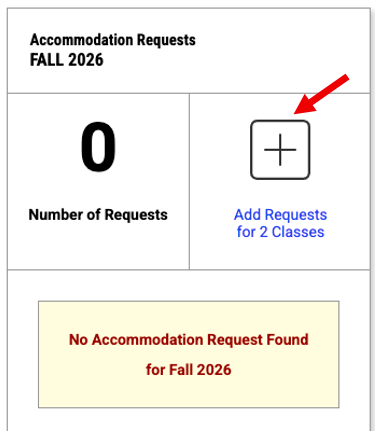
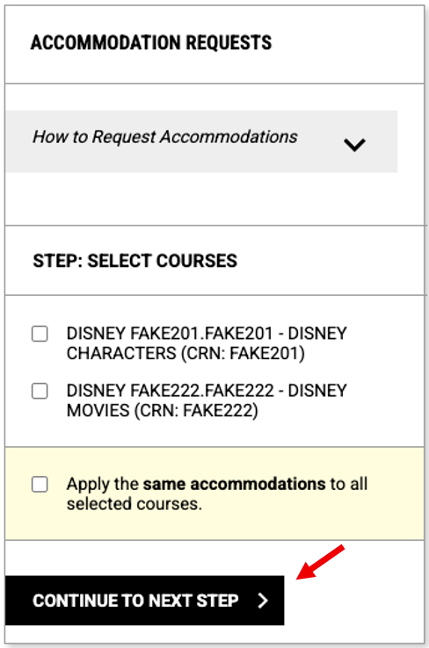
Step 3: Select the course(s) you would like to request accommodations for. Then select "CONTINUE TO NEXT STEP".
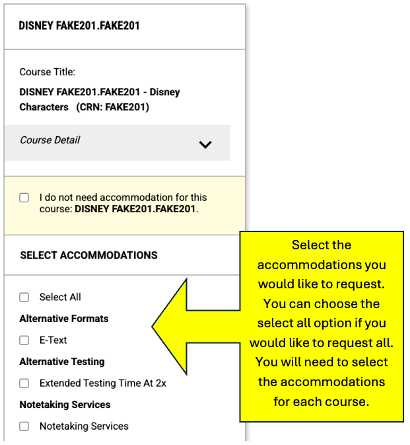
Step 4: Select the accommodations you are requesting, for each course. You can "select all" to request all your approved accommodations. You will need to request the accommodtaions, for each course.
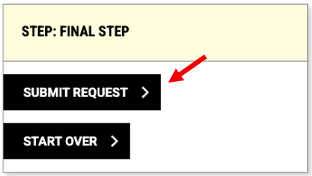
Step 5: Once you have selected the accommodations and for the courses for which you are requesting them, select "SUBMIT REQUEST".