myCSUSM






Accepting Your Offer
Ready to make it official?!
You can accept your offer of admission (also referred to as submitting your 'intent to enroll') in the Admissions section of the Student Center. You will also be directed to pay your enrollment deposit upon submission. Be sure to enable pop-ups in your browser to complete this process!
Accept by the deadline
Don't forget that you must accept your offer and submit the $150 enrollment deposit by the given deadline:
-
- Fall admission: May 1
- Spring admission: December 1
About the Enrollment Deposit
The $150 enrollment deposit is non-refundable and will apply toward your first term tuition. The enrollment deposit will be waived for students who qualified for a fee-waiver at the time of application. If your financial situation, or that of your family, has significantly changed from the time you submitted your application to CSUSM and you may be eligible for the enrollment deposit waiver, you may submit an Enrollment Deposit Waiver Appeal.
Steps to Accept
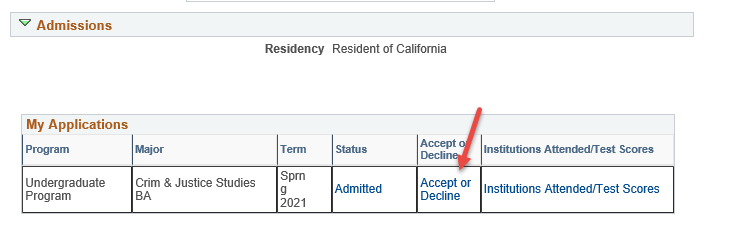
- Step 1: Click on Accept or Decline under My Applications
Log into MyCSUSM and click on the Student Center. Please do not click on the Make a Payment button under the Finances section, you must accept your offer of admission before making a payment.
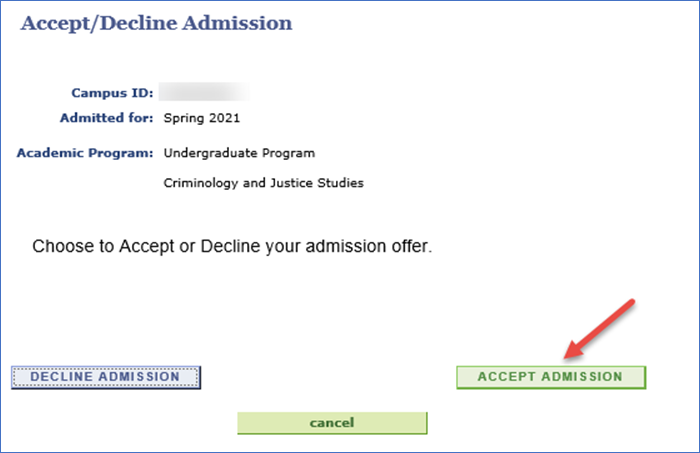
- Step 2: Give us your answer!
The green button means you accept!
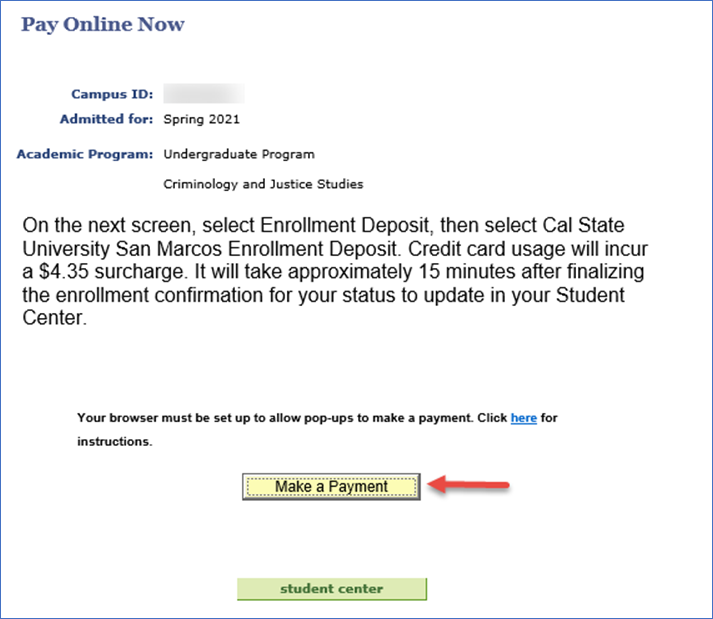
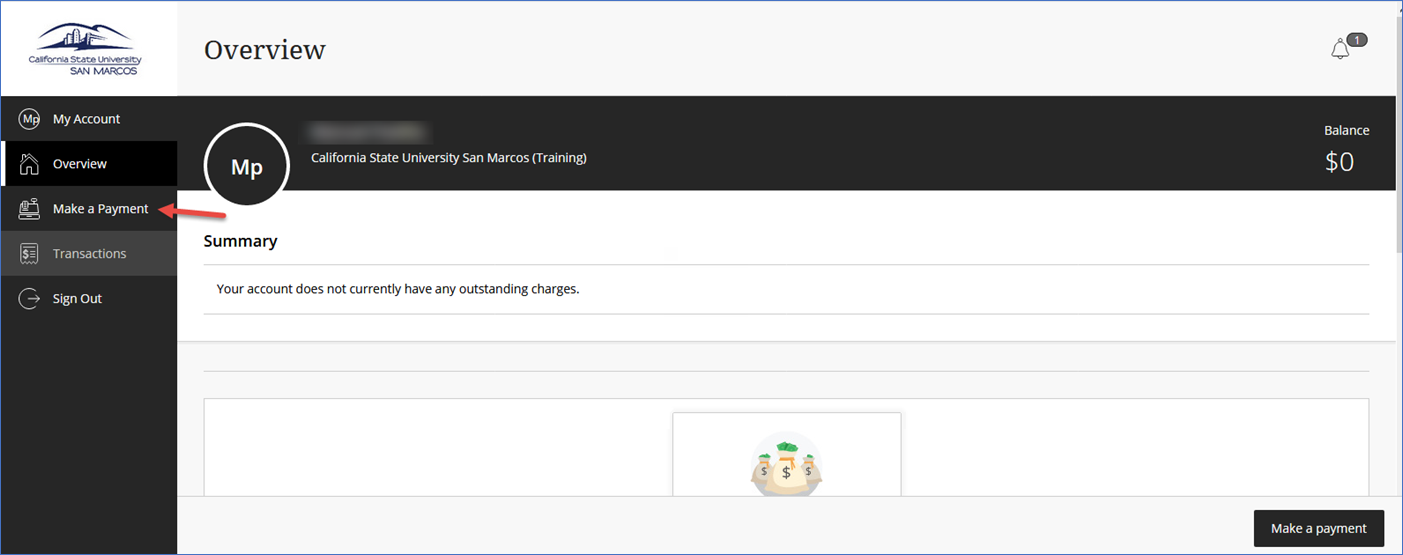
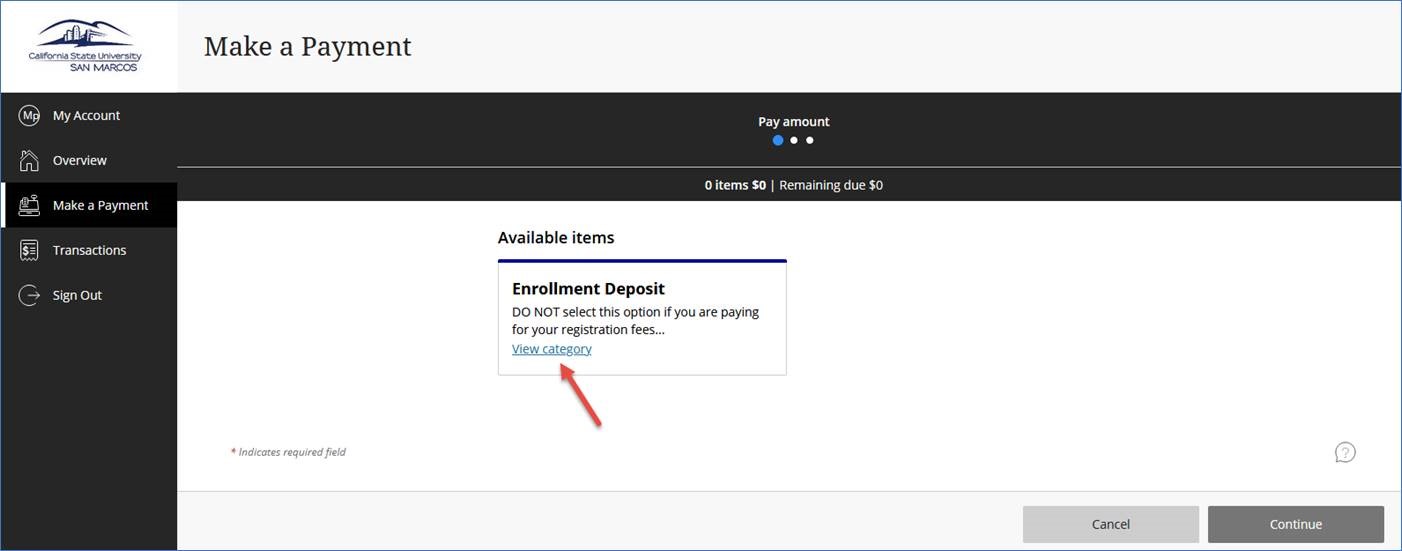
- Step 3: Click on Make a Payment
Follow the prompts to pay your deposit. Be sure that pop-ups are enabled on your browser.