
 myCSUSM






Show Students Their Own Activity Logs
Why do this?
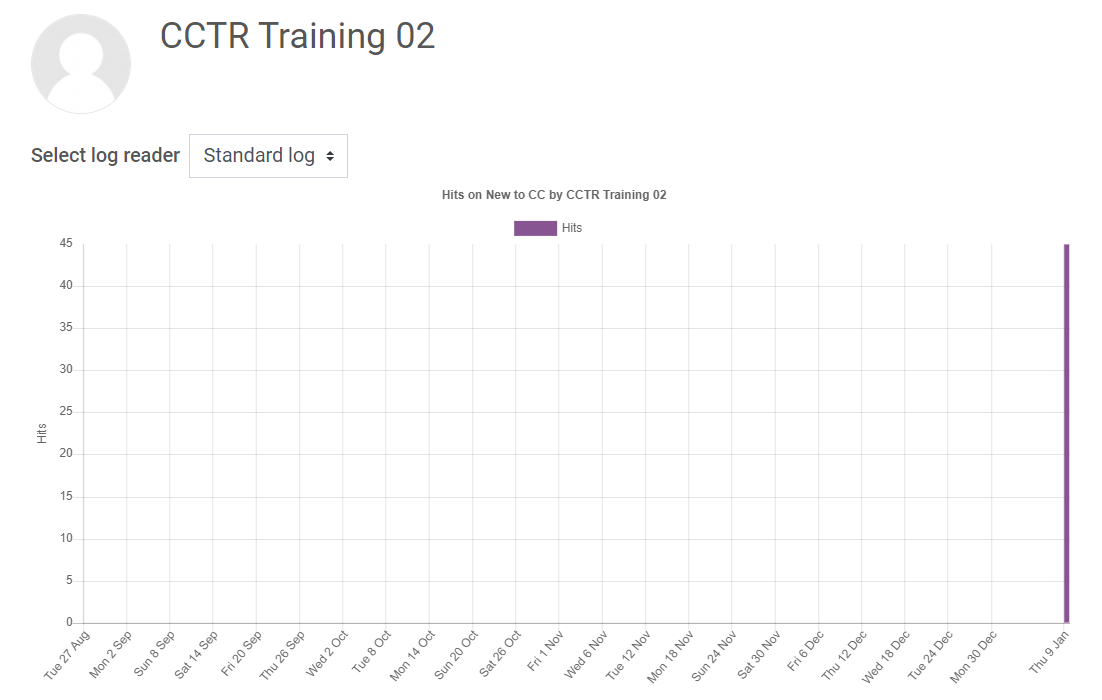
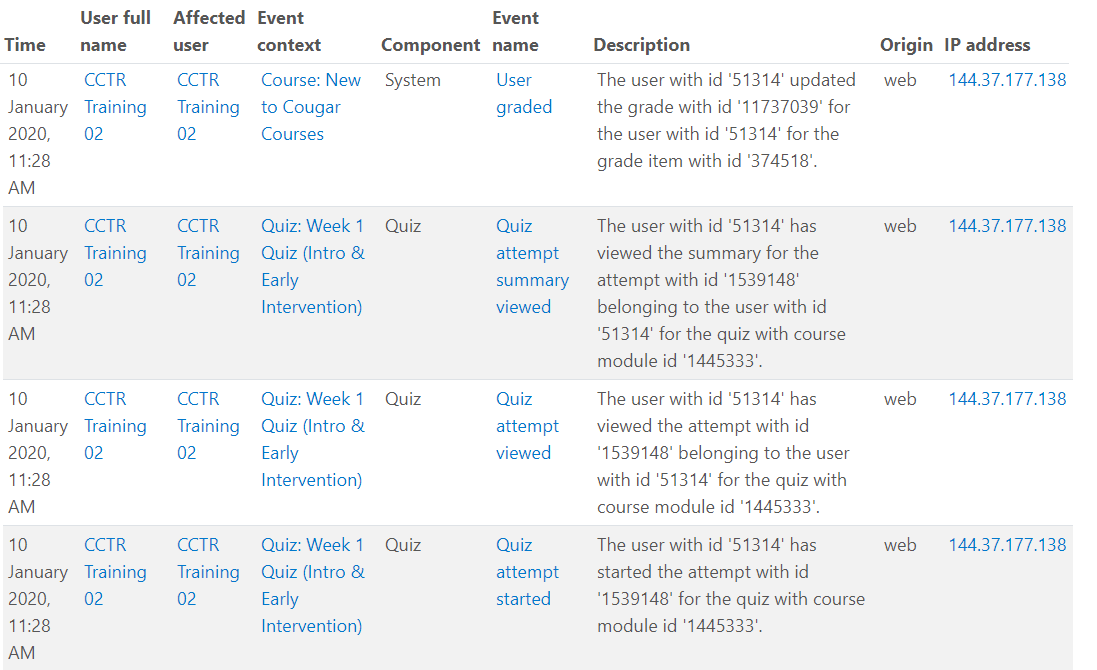
"Show activity reports" allows students to view their personal activity reports/logs in your course. These activity reports/logs include date and time stamps for actions such as viewing course materials, submitting Assignments, taking and submitting Quizzes, posting in Forums, etc. Students cannot see the activity reports/logs of anyone else.
Verify students can view their own logs
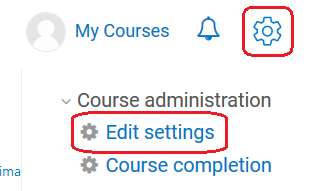
- By default, this setting should already be enabled. To verify, click the gear in the upper right to open the Course Administration, then select Edit settings.
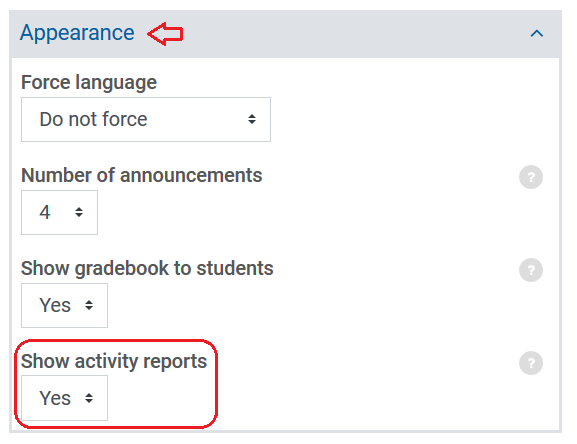
- Click on Appearance. Make sure "Show activity reports" is set to Yes.
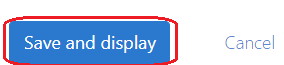
- Scroll down and on the left click "Save and display."
How a student views their logs
- The student would click on Course Dashboard, then Participants.
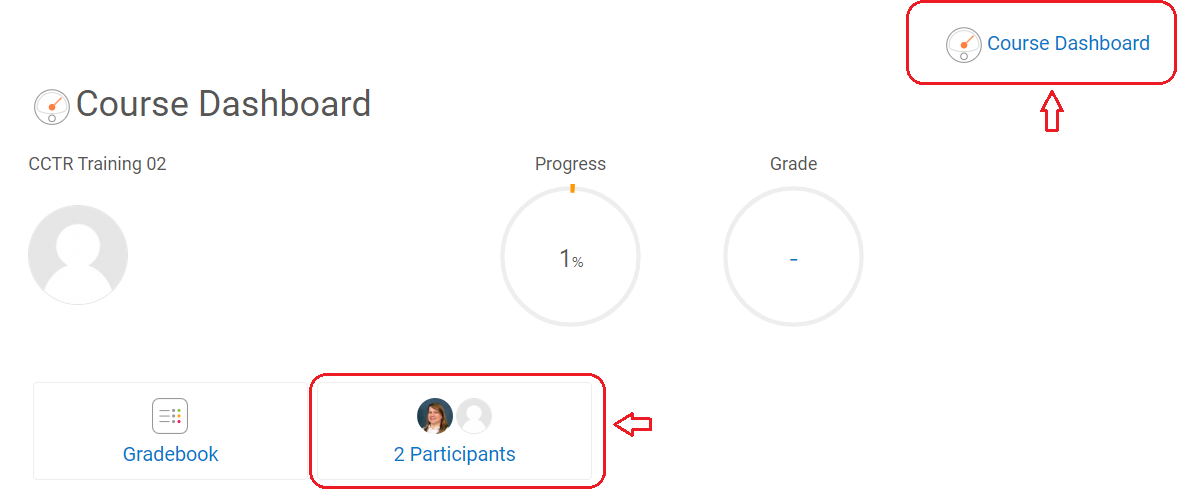
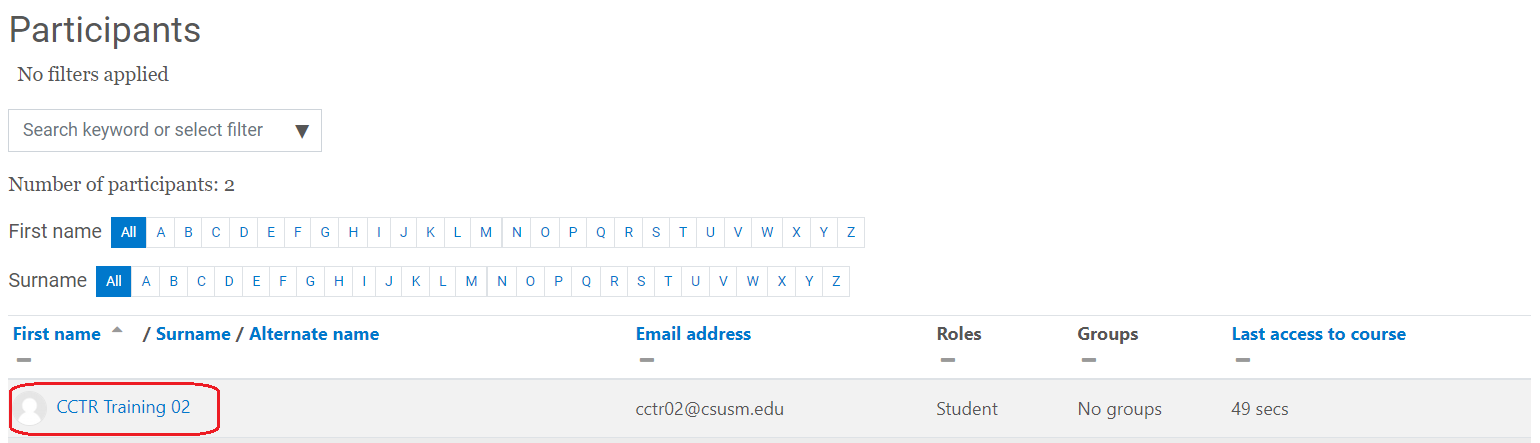
- Next, the student would click on their own name in the Participants list.
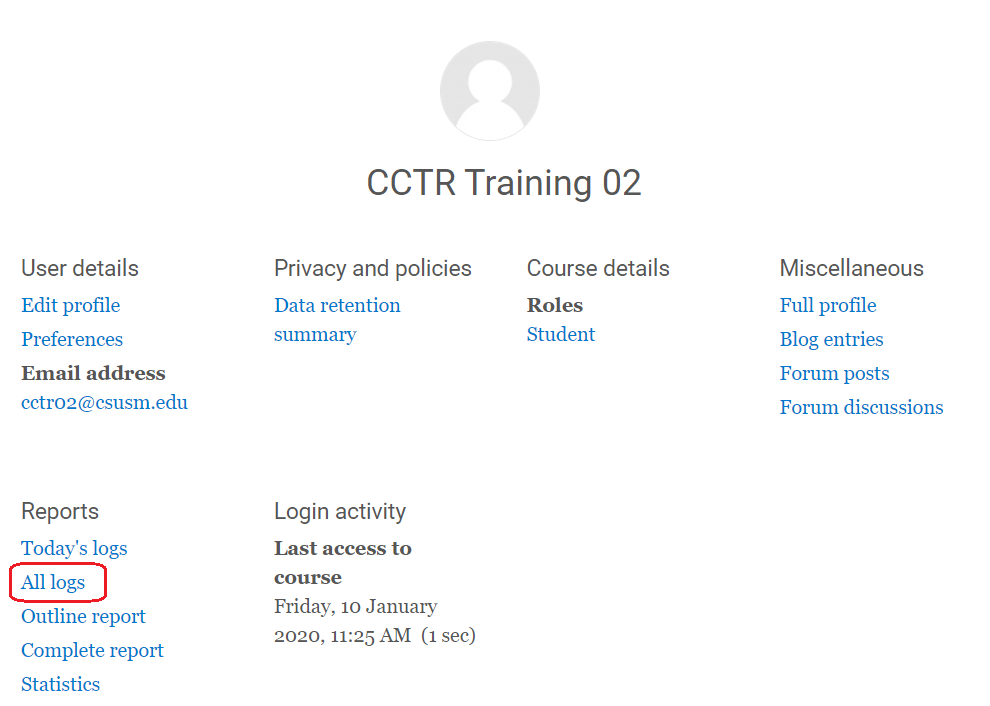
- In the Reports section, the student should select All Logs.
What the student then sees: